
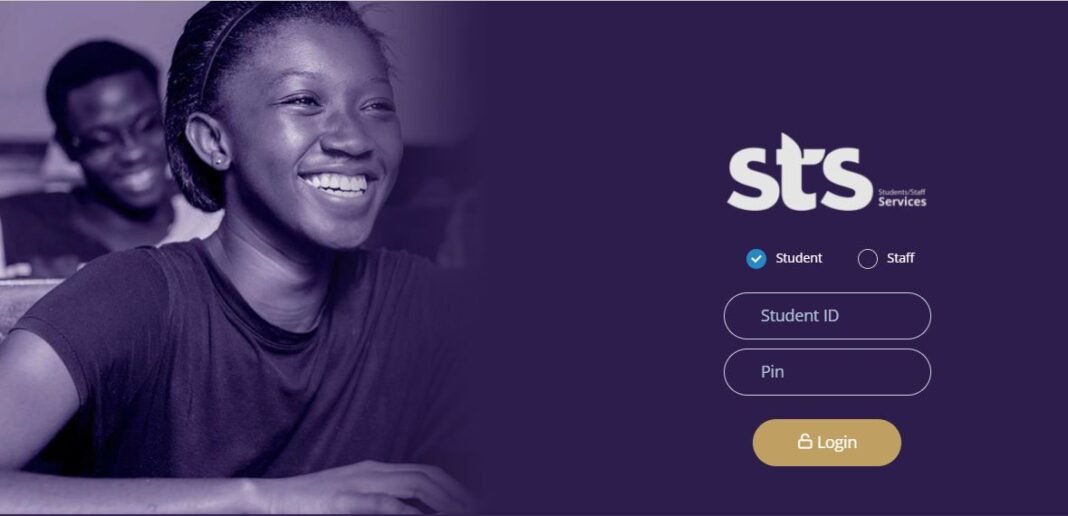


The University of Ghana’s Management Information System (MIS) Portal is an essential online platform for students. It provides access to academic records, course registration, fees payment, and other vital university services. Whether you’re a new student or returning, understanding how to navigate the MIS Portal is crucial for a smooth academic experience.
Here’s a step-by-step guide on how to log in and use the University of Ghana MIS Portal effectively.
READ MORE HERE: How to Activate Your UG Student Email Account
Step-by-Step Guide to Logging into the UG MIS Portal
- Visit the MIS Portal Website
- Open your web browser and go to the official University of Ghana MIS Portal: https://sts.ug.edu.gh.
- Enter Your Login Credentials
- Your Username is your Student ID number (e.g., 10678954).
- Your Pin/Password is your date of birth in the format (DDMMYYYY) unless you have changed it. For example, if your birthday is 1st January 2000, your password would be
01012000.
- Click on ‘Login’
- After entering your credentials, click the Login button. If this is your first time logging in, you may be prompted to change your default password to a more secure one.
How to Use the UG MIS Portal
Once logged in, you can access various academic and administrative services:
- Course Registration
- Navigate to the Registration tab to enroll in your courses for the semester.
- Select your courses from the available list, and confirm your registration. Be sure to register within the deadline set by the university.
- Check Academic Records
- Click on the Academic Records tab to view your grades, GPA, and academic transcript.
- You can also track your academic progress and download your transcript for future use.
- View and Pay Fees
- The Financial Information section allows you to check your fee balance, view payment history, and print invoices.
- You can also make online payments directly through the portal using various payment methods.
- Update Personal Information
- Use the Personal Information tab to update your contact details, address, and emergency contact information.
- Access Exam Timetable and Results
- Stay informed about your exam schedule by checking the Examinations tab, where you can view your timetable and exam venues.
- Once results are released, you can view them in this section as well.
Troubleshooting and Support
- Forgot Password? Click on the “Forgot Password” link on the login page and follow the instructions to reset your password.
- Technical Support: If you encounter any issues, contact the university’s IT Support team via email at mishelp@ug.edu.gh or visit the IT Services Department at the Balme Library.
Tips for Using the UG MIS Portal
- Log Out After Use: Always log out of your account after each session, especially when using public computers.
- Check Regularly: Make it a habit to check the portal frequently for updates on registration, fees, and academic deadlines.
- Secure Your Password: Avoid sharing your password with others to protect your personal and academic information.
By following this guide, you can easily navigate the University of Ghana’s MIS Portal and make the most of its features to support your academic journey.
Source: knustnoticeboard.info