
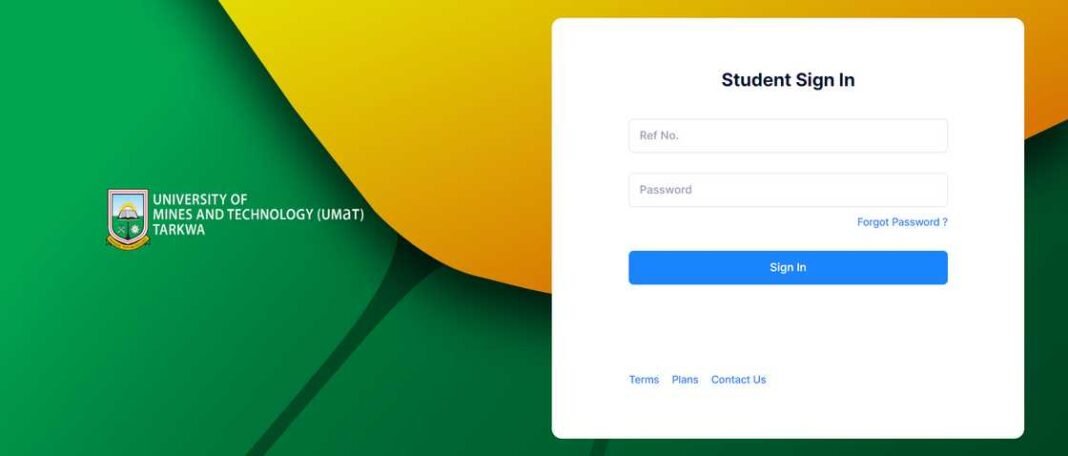


The University of Mines and Technology (UMaT) Student Portal offers students a convenient way to access their academic results online.
Whether you’re a first-time user or a returning student, this guide will help you navigate the portal to view your grades for the semester.
Steps to Check Your Academic Results
1. Access the UMaT Student Portal
To begin, log in to the official UMaT Student Portal:
- Visit UMaT Student Portal.
- Ensure you have a stable internet connection for a smooth experience.
2. Log In to Your Student Account
- Enter your Student ID and Password in the login fields.
- Click Login to access your dashboard.
- If you’ve forgotten your password, use the Forgot Password option to reset it.
3. Navigate to the Academic Results Section
Once logged in:
- Locate the Academic Records or Results tab on the dashboard.
- Click on the tab to view options for available academic records.
4. Select the Relevant Semester or Academic Year
- Choose the semester or academic year for which you want to view your results.
- If multiple semesters are listed, click on the specific one to display detailed grades.
5. View and Download Your Results
- Your grades for the selected semester will be displayed.
- Review your results carefully to ensure all courses are included.
- If the portal allows, download or print your results for your records.
Frequently Asked Questions
1. What Should I Do if My Results Are Not Displayed?
- Results may not be available yet if they are still being processed. Check back later.
- Contact your department or the academic office if results for your courses are missing.
2. Can I Access My Results on a Mobile Device?
Yes, the UMaT Student Portal is mobile-friendly, allowing you to access your results using a smartphone or tablet.
3. What If I Forget My Login Credentials?
Use the Forgot Password link to reset your password. For assistance with your Student ID, contact the ICT Office.
Troubleshooting Common Issues
Portal Not Loading or Results Not Showing
- Ensure your internet connection is stable.
- Clear your browser cache or try a different browser.
- Access the portal during non-peak hours to avoid server overload.
Incorrect or Missing Results
- Reach out to your course instructor or the Exams Office to address discrepancies.
- Keep a record of your concerns for proper follow-up.
UMaT Support Contact Information
For additional help, you can contact UMaT’s support team:
- Email:
ictsupport@umat.edu.gh - Phone: Refer to the UMaT website for the appropriate contact numbers.
By following these steps, you can easily check your academic results on the UMaT Student Portal. Staying informed about your performance helps you plan your academic progress and address any issues promptly.
Source: knustnoticeboard.info