
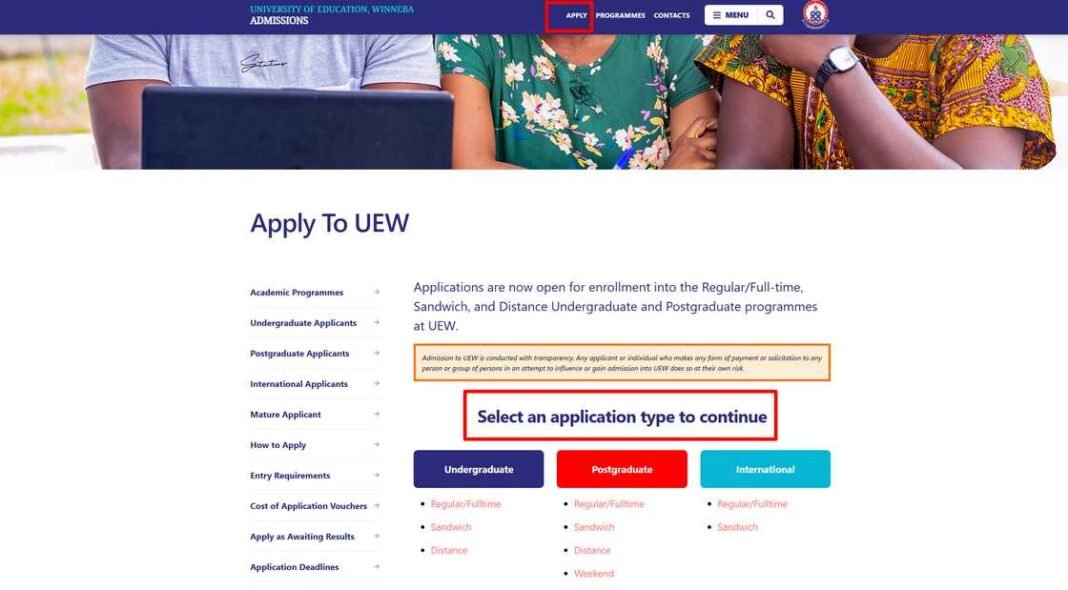


Applying to the University of Education, Winneba (UEW) starts with purchasing an application voucher. The process is simple, and you can complete it online without visiting a physical location.
Steps to buy UEW Application Vouchers Online
Here’s a step-by-step guide:
1. Visit the Official Portal
Go to the official UEW application portal or the designated payment provider’s platform (E-Voucher platform).
2. Select the Voucher Purchase Option
Look for the “Buy Application Voucher” or similar option on the platform. Choose your preferred program type:
- Undergraduate (Regular, Sandwich, or Distance)
- Postgraduate
- International applications
3. Provide Your Details
Enter your personal information, such as:
- Full name
- Contact details (phone number and email)
- Program type or category
Ensure your details are accurate to avoid errors during application.
4. Make Payment
Choose your preferred payment method. Common options include:
- Mobile Money (MoMo): Use services like MTN, Telecel, or AirtelTigo Mobile Money.
- Card Payment: Pay with a debit or credit card.
- Bank Transfers: Some platforms support direct bank payment.
Follow the prompts to complete your transaction. Save the confirmation details for your records.
5. Receive the Voucher Code
Once payment is successful, you’ll receive the voucher code via SMS or email. Keep it safe, as you’ll need it to access the application portal.
6. Proceed to Application
Log in to the UEW application portal with your voucher code to start your application.
Tips for a Smooth Process:
- Ensure you have sufficient funds in your mobile money wallet or card before starting the process.
- Use a stable internet connection to avoid interruptions during payment.
By purchasing your voucher online, you save time and avoid the hassle of physical queues. Best of luck with your UEW application!
Source: knustnoticeboard.info