
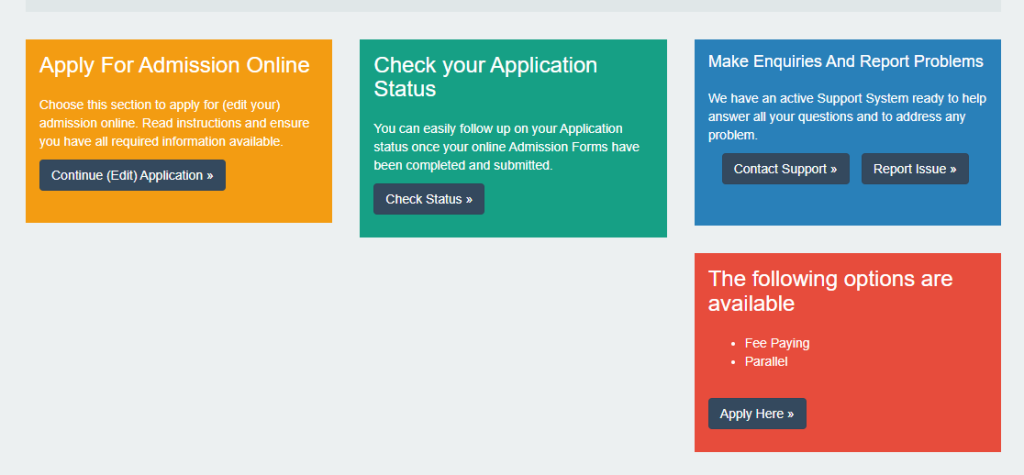


Have you been wondering how to accept a Parallel Student Offer from Kwame Nkrumah University of Science and Technology (KNUST)? The Parallel Offer is an alternative admission option provided to applicants who were not admitted into their first-choice programs.
This program allows students to study under a self-financing scheme, offering a great opportunity to pursue your desired course if you missed out on regular admission. To secure your place, you must officially accept this offer.
In this blog, we’ll guide you through the process of accepting a KNUST Parallel Student Offer with a step-by-step approach.
READ MORE HERE:
- What Are My KNUST Student Credentials? How to Log In & Reset Your Password
- How to Reset Your KNUST Student Portal Login Password
Step To Accept a KNUST Parallel Student Offer
Here’s a step-by-step guide to help you through the process:
Step 1: Log in to the KNUST Admission Portal
- Visit the official KNUST Admission Portal.
- Enter your username (your application number) and password to access your admission status.
Step 2: Check Your Admission Status
- Once logged in, navigate to the “Admission Status” section.
- If you’ve been offered admission under the Parallel program, you’ll see your admission details along with the instructions to accept the offer.
Step 3: Download Your Provisional Admission Letter
- Click on the link to download your Provisional Admission Letter.
- Save and print a copy for your records, as you’ll need it for subsequent registration and verification.
Step 4: Make Payment for Acceptance Fees
- To secure your admission, you need to pay the Acceptance Fee. This fee confirms that you’re accepting the offer.
- Payment can be made at any designated bank listed on your admission letter or via the KNUST fees payment portal.
Step 5: Complete the Online Acceptance Form
- After making the payment, return to the KNUST Admission Portal.
- Fill out the Online Acceptance Form by providing the required information, including your payment details.
- Submit the form to officially accept your offer.
Step 6: Print Your Acceptance Confirmation
- Once your acceptance is confirmed, you’ll be able to download a Confirmation Slip.
- Print this slip and keep it safe, as it may be needed for orientation and registration.
Step 7: Prepare for Registration and Orientation
- After accepting your offer, keep an eye on the KNUST website for updates on the orientation schedule and registration process.
- Be sure to prepare all necessary documents, such as your Provisional Admission Letter, payment receipts, and identification, for a smooth registration experience.
Important Notes:
- Ensure you accept the offer within the deadline provided in your admission letter.
- If you encounter any issues during the acceptance process, reach out to KNUST’s Admissions Office for assistance.
By following these steps, you’ll successfully secure your admission into KNUST’s Parallel program. Best of luck as you embark on this exciting academic journey!
Source: knustnoticeboard.info